
01
Type Your Anchor Phrase
Enter your keyword or sentence. The engine automatically locks it in the dead-center position across every layout.
Free AI-powered text match cut maker for the newspaper clipping effect. Fix a word while headlines and layouts shift around it — rendered locally in your browser. No signup, no watermark, 1080p export.
Enter text, tune the effect, preview and export.
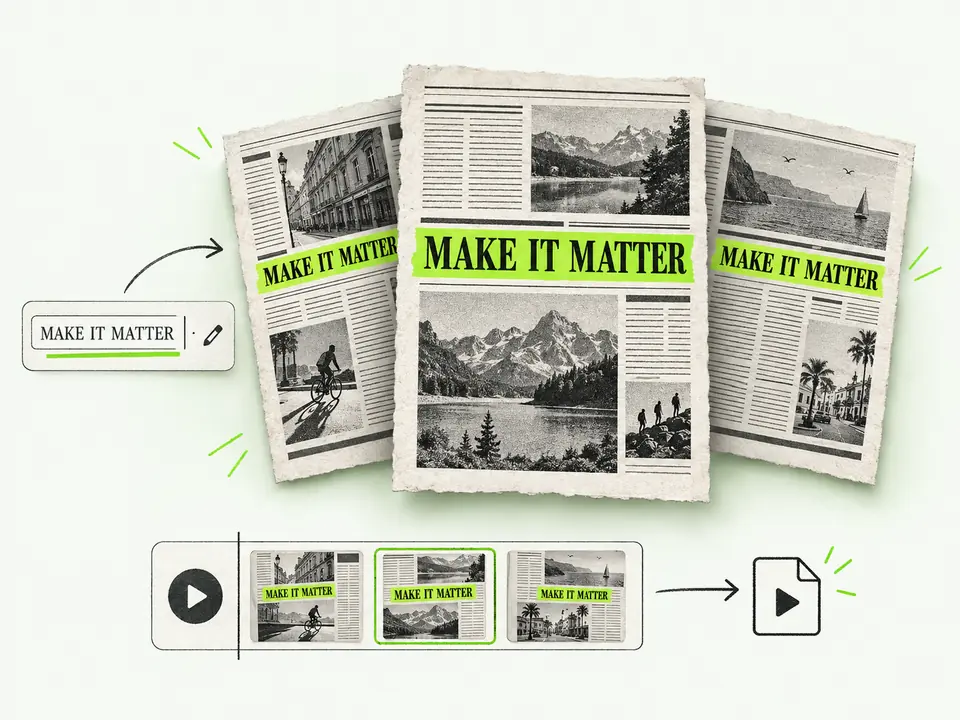
Enter your keyword or sentence. The engine automatically locks it in the dead-center position across every layout.
Choose the aspect ratio, highlight color, zoom, blur and optional sound. Duration and cut speed are fixed; typography comes from the built-in layouts. Preview before exporting.
Download MP4 or WebM when your browser supports encoding. Import into an editor that supports the selected format.
Keep a phrase fixed while newspaper layouts change. Adjust the look, preview the sequence and download your clip.
Canvas 2D draws the layouts; WebCodecs encodes supported video formats on your device.
Your phrase stays centered across changing layouts. Check placement against captions and platform overlays in your final edit.
Optional synthesized clicks or paper rustles follow the cut rhythm. Audio export depends on codec support.
Switch between 9:16, 16:9 and 1:1. Supported exports use 1080p dimensions.
Choose an opening title, chapter card or transition that fits your project. The layouts are decorative, and suggested settings are starting points for your own preview.
Use a fixed phrase to introduce a topic, chapter or quoted idea in a video essay. The newspaper-style backgrounds are original demonstration layouts, not historical documents or evidence of press coverage. Keep real citations in your main video and distinguish them from this decorative effect.
Create a vertical opening title or transition with a short phrase. Check it alongside captions and platform overlays in the complete video. The clip uses a fixed cut speed; use your video editor for pacing changes. The effect does not guarantee improved views or retention.
Turn a short quote into a title card or transition for a podcast excerpt. Add the original voice track in your video editor; this tool generates optional synthesized sound effects, not narration or an uploaded podcast recording. Check the quote against its original context before publishing.
Animate a slogan for a product introduction or campaign transition. Choose the ratio and highlight color to suit your project. Fictional newspaper layouts are decorative; avoid suggesting that a publication endorsed or reported on your business.
Use this editor to generate a short effect clip, then use your video editor for the full production. Features and format support vary by editor and version.
| Capability / Feature | This tool | Desktop video editor | Mobile video editor |
|---|---|---|---|
| Setup workflow | Choose a phrase and animation settings | Build an effect on a full timeline | Use available text and effect controls |
| Background assets | Original fictional newspaper layouts | Use assets you supply or license | Choose templates or supply your assets |
| Text positioning | Fixed phrase across generated frames | Position text and keyframes manually | Depends on text animation controls |
| Export & Watermarks | Free, no watermark; supported 1080p export | Pricing and export options vary | Pricing and export options vary |
| Audio | Optional synthesized clicks or rustles | Mix sound in the project timeline | Use supported audio editing features |
| Rendering | Local rendering; time depends on device | Rendering depends on project and hardware | Processing varies by app and feature |
Answers about text match cuts, browser support, formats and how demo layouts can be used.
A text match cut rapidly changes surrounding layouts while the same phrase remains in the same screen position. It can be used for an opening, chapter title or transition.
Yes. This version offers free, watermark-free exports without an account or subscription. Rendering happens on your device; available formats depend on browser codec support.
The tool does not claim ownership of your input text. You are responsible for having the rights to the text you enter and for how you use the exported video. Demo publication names and surrounding article text are fictional; do not present them as real reporting or endorsements. See the terms of use for details.
Import the downloaded file into your editor. MP4 is the preferred format; WebM support varies by software and version. Test the clip in your project before publishing.
No. Original procedural layouts and animation rules run on your device. Export time depends on your settings, hardware and browser encoding support.
Preview and export have different requirements. Video export needs WebCodecs and support for the selected video and audio codecs. Start with an up-to-date desktop Chrome or Edge; other browsers and phones require device testing. WebM is an alternative only when its codecs are supported.
We support 9:16 (1080×1920) for TikTok, Reels & Shorts; 16:9 (1920×1080) for widescreen YouTube; and 1:1 (1080×1080) for square social feeds. All clips are exported at 30 FPS.
The editor processes text and animation on your device and does not send that content to a generation API. Website hosting still receives normal page requests, as described in the privacy policy.
No. A fixed phrase can make a sequence visually consistent, but this tool has no measured evidence that it increases retention or reach. Results depend on your story, audience and final edit. Compare versions using your own audience data rather than assuming the effect improves performance.
Not in the current editor. Clips run for 4 seconds at 8 cuts per second. Typography follows the built-in layouts. You can change the phrase, aspect ratio, highlight color, zoom, blur and sound, or shuffle the layouts. Trim or retime the exported clip in your video editor if needed.
The editor processes text and animation on your device without a cloud generation request or rendering queue. Export time depends on settings, hardware and browser support. Hosting still receives normal website requests, as explained in the privacy policy.
Import a supported MP4 or WebM file into your editor, then align the clip with your narration or music. Check readability, sound and transitions in the full timeline. MP4 and WebM use video compression; 1080p describes the frame dimensions, not a promise of lossless quality.
Pick a phrase, tune the newspaper effect and preview your clip. Create for free, with no account or watermark.
Create your text animationThis editor draws frames with Canvas 2D and encodes video with WebCodecs. The WebCodecs specification does not require browsers to support any particular codec, so preview availability does not guarantee MP4 or WebM export. Check the selected format on your device before using the clip in an editing project.
Source: W3C WebCodecs specification (working draft)Content reviewed: